
Settling into 2.0
Since 2.0 shipped, the work has been about settling it in: filling the gaps, sanding down edges, and fixing the things that only turn up once a lot of people are playing. Here is what landed across the patches since.
The in-game Guide
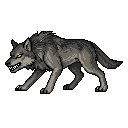
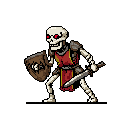
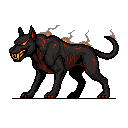
A new Guide button on the menu opens a full in-game reference, so you no longer have to tab out to look something up. The Skills tab lists every resource, recipe, and piece of gear for a skill next to its level requirement, and Runecraft gets its own breakpoint table so you can see exactly when each rune starts doubling and tripling. Right-click any skill icon to jump straight to its page. The Monsters tab shows enemy stats and drop tables sorted by combat level, and any drop you have not looted yet shows up as “???”. The slot is there, you just do not know what fills it until you kill enough to find out.

Loadout hotkeys
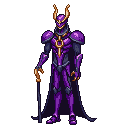
Number keys 1 through 4 now swap your gear preset mid-action: Skilling, Melee, Ranged, and Magic by default. Pressing a hotkey switches both your active skill and the loadout for that skill in one press, which makes mid-fight gear swapping real. You can move from Melee to Ranged to Magic against the Abyssal Lord without opening a single menu. The Equipment panel got a redesign to match, wider and shorter, with Available Gear rendered as an icon grid instead of a stacked text list so every piece is visible at a glance. Click to equip, hover for bonuses and level requirements, and rebind or disable the hotkeys from the bottom of the panel. On fresh installs the shortcut is opt-in, so it will not surprise anyone who leaves it off.


The finishing touches
Three smaller changes did a lot to make 2.0 feel finished. Levelling up used to be a single line of text, and now your character gets framed with a burst of fireworks whenever a level pops, one celebration per level if you gain several at once, with the notification rewritten to read properly: “Congratulations, you just advanced a Strength level. Your Strength is now 42.” The Collection tab became a proper icon grid, where each cell shows the item icon once you have found it or a “???” placeholder until you do, and the completion fraction ticks up as you fill it in. And the general store, which has quietly been scaling prices 5% per recent purchase since v1.0, now shows a “Resets in m:ss” timer under any item with active scaling, so you can see exactly when the price falls back to normal instead of guessing.
The rest
- Steam behaves now. The client no longer freezes or blacks out while RuneClick is running or when you alt-tab, and always-on-top actually sticks through alt-tab, Win+D, and focus-stealing apps.
- Gathering and production grant more XP per action than they did in 2.0. Your existing XP and levels carry over at the new rates.
- Tools now require the gathering-skill level that matches their smithing tier, so an iron pickaxe needs Mining 15 and rune tools gate at 80. The tier you can use finally matches the tier you can craft.
- The bottom of the Ranged and Magic ladders got small max-hit and strength bumps, bringing a level-1 starter up from 5 to 7.
- Fletching’s early game got easier: oak shortbows unlock at level 1 instead of 5, and iron arrows moved from level 15 down to 10.
- The floating combo text escalates further as a combo grows, with a much higher new ceiling. If you would rather it stayed calm, Settings caps it at the old behaviour.
- Feathers got a rebalance. Chickens and terrorbirds drop three times as many, three more enemies drop them, and they are buyable in the general store, so arrow grinding no longer bottlenecks on chicken farming.
- Two long-standing fixes: every arrow and rune tier is now actually visible and buyable in the store (the category order had been hiding them), and equipped arrows no longer clear on restart.
- The armour-set achievements (Iron-Plated, Soft Step, The Robed) now fire when you wear a full matching set.
- The bank’s sell quantity bar reads 1 / 10 / 50 / 100 / 500 / 1000 / All, and the taskbar and Alt+Tab thumbnail show the new 2.0 app icon.
- Modding got more room. Mods can now ship replacement art for any base-game prop with per-prop offset and scale overrides, and the bundled template was rebuilt from a stale Fletching example into a working Pottery mod.
— Vosk