
Patch 3.1.1
Mirror Scene, the skill grid stays open, and a fix for the feedback window
Vosk's notes, as posted on Steam (read them there). The story behind it, with clips: Update 3.1: The Polish Update.
A small update built from feedback received through the in-game feedback button. Thank you, Toasted! Both of your ideas are in.
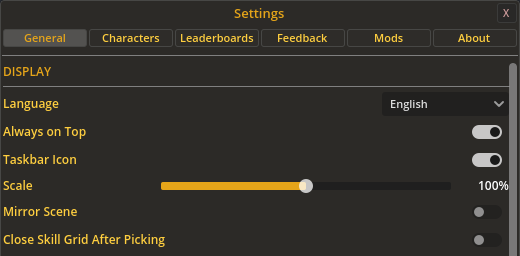
Mirror Scene
A new option in Settings flips the whole layout. Your character stands on the right facing left, and the props, monsters and your pet move to the left. Everything around them follows: the HP and prayer bars, damage numbers, drops and loot messages, the picker button, the combat buttons and the corner HUD button. The menu button moves to the right end of the bar, and the menu and skill grid open from the right. Panels like the bank and shop open where they always do. It's off unless you turn it on, and it switches over straight away.
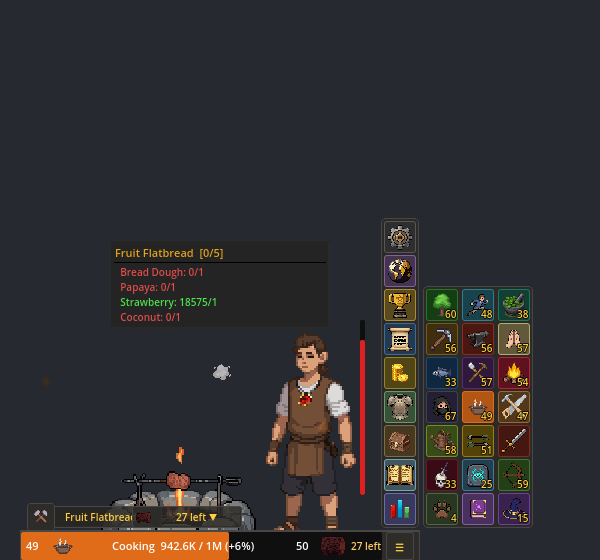
The skill grid stays open
3.1.0 started closing the skill grid and the menu as soon as you picked a skill. Now the grid stays open again, so you can hop between skills without reopening it each time. The new skill's picker still opens on its own. If you liked the tidier way, turn on Close Skill Grid After Picking in Settings.
Fixes
- With a controller plugged in, a D-pad press or a drifting stick could move the feedback window's focus from the text box to Send. The next letters you typed went nowhere and the next space sent your message half-written. The feedback window now ignores controllers, and its buttons can only be clicked (or use Ctrl+Enter to send). If something you sent got cut off, send it again, it's welcome.
Under the hood
- Both new options are translated into all nine languages.
- Saves, leaderboards, balance and prices are untouched. No migration needed.
Keep the feedback coming. It's in Settings > Feedback, I read every message.
— Vosk